
Business and project management
MUDAR for business.From agreement to payment.
From clients and quotations to execution, delivery and invoices, MUDAR connects your work, documents and payments in one system.
Explore MUDAR



Work has a memory.
Every version and decision stays linked to its project.
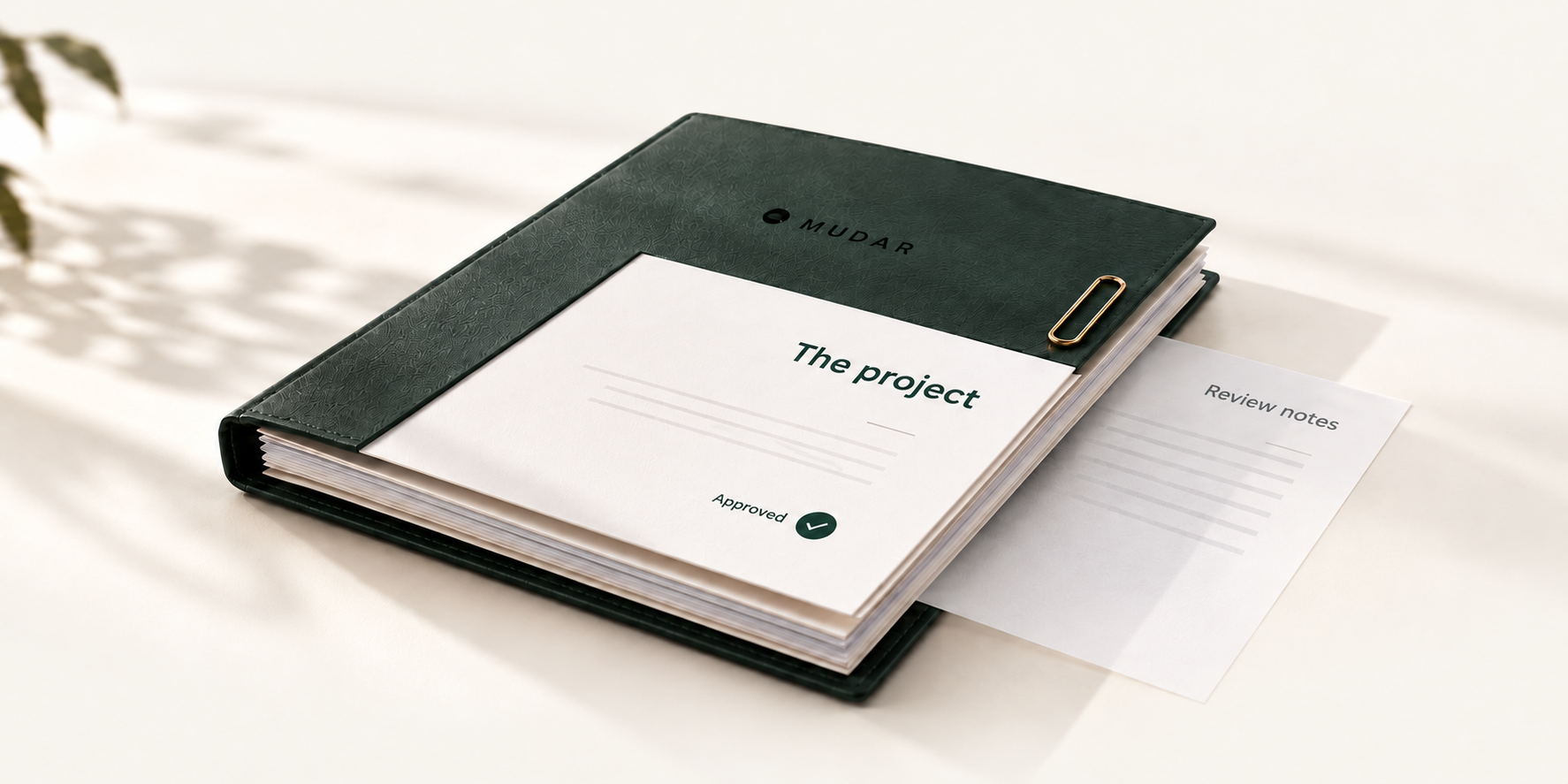
Return to a decision and the details behind it.
The record stays, even after the last message.
MUDAR CAPABILITIES
Manage the work.
Connect every detail.
Start with what matters to you. Explore the essentials, then open any detail when you need it.
The complete capability catalogue
Explore the details
Choose any title to read more.
Workday & follow-up
A clear daily overview
See open projects, pending responses, payment evidence and unread notifications.
Business managementApprovals awaiting review
Open the relevant document and client response directly from your follow-up list.
Business managementEvidence that needs your review
Review payment evidence alongside the related invoice before confirming received funds.
Business managementStages that need follow-up
Review overdue stages and open their execution details within the project.
Business managementEmail sending follow-up
Review failed or uncertain email attempts before deciding whether to resend.
Business managementRecent projects in view
Open documents, payments or execution for recently updated projects from your daily overview.
Business managementCollections by currency
See confirmed funds, remaining balances, past-due amounts and pending evidence separately for each currency.
Business managementA project-connected record
Return to recorded transaction actions, approvals and payments within their project.
Business managementYour work at a glance
Review counts of the projects, quotations, invoices and open payment requests available to your account.
Client experienceWhat needs your attention
Document approvals, payment requests and delivery reviews come together in one follow-up list.
Client experienceThe next step, in the right place
Start with the earliest dated request and open its exact document, payment or delivery version.
Client experienceYour project register
Open a project with its company, creation date and latest published update, then explore its sections.
Client experience
Clients & permissions
A complete client profile
Keep company details, names, country, address, tax ID, currency and communication language together.
Business managementMultiple client contacts
Add and maintain client contacts with their email and phone details, including explicit removal when needed.
Business managementA primary contact
Choose one primary contact email while retaining the client's other contacts.
Business managementPermissions per person
Set viewing, downloading, approval, payment-evidence and delivery-acceptance permissions for each contact.
Business managementRecorded approval authority
Record the authority reference for contacts permitted to approve documents or accept delivery.
Business managementClient status control
Activate or deactivate a client while retaining its profile and records.
Business managementPortal access control
Control portal availability for the client and individual contacts according to their granted permissions.
Business managementClient portal invitations
Prepare or renew an invitation for an authorised contact using the client's saved communication language.
Business managementProfile change review
Review client data-change requests and approve or reject them with a reason.
Business managementClient-wide statistics
See total and active clients, enabled portals and online accounts in statistics independent of the current search results.
Business managementObserved portal activity
Review sign-ins, observed activity and estimated usage durations for accounts linked to the client.
Business managementEach client's work at a glance
See project counts, issued documents, published handovers and pending responses in the client's profile.
Business managementClient balance summary
Review confirmed, remaining and past-due amounts alongside evidence under review, separately for each currency.
Business management
Services & pricing
An organized service catalog
Keep service names and descriptions in a catalog separate from client-specific prices.
Business managementClear pricing units
Define a service unit such as a project, hour or page to make the pricing basis clear.
Business managementService availability
Activate or deactivate services when preparing new work.
Business managementClient-specific service prices
Add or update a service price for a particular client in that client's currency.
Business managementIssued prices preserved
Use updated prices in new documents while keeping issued document prices as approved.
Business management
Projects & documents
Prepare a quotation
Create a quotation for a client and existing project, or start a new project with the quotation.
Business managementItems, quantities and prices
Build a quotation from service lines, quantities and unit prices so each line's value is clear.
Business managementProposal, terms and notes
Add a proposal, notes, payment and delivery terms, and opening and closing text.
Business managementDiscounts and tax
Set a document discount and tax rate as part of the quotation's commercial calculations.
Business managementQuotation validity
Set the quotation's validity period in days so its offer window is clear.
Business managementDocument attachments
Choose files belonging to the client and project for the selected document.
Business managementPreview before issue
Review an A4 document draft before issuing it or assigning an issued number.
Business managementClear document numbering
Issue quotations, invoices and receipts using their dedicated document numbering.
Business managementA fixed issued version
Retain each issued version's content, language and details as they were at issuance.
Business managementProject document register
Search loaded documents and filter by type and status while reviewing versions and amounts.
Business managementPreview, download and print
Review multipage documents with zoom and fit controls, then print or download as available.
Business managementReview a client response
Accept a client's response to the specific version or request changes with an explanatory message.
Business managementAn invoice linked to approval
Prepare an invoice linked to its quotation and approval response, then review it before issue.
Business managementRevise a quotation
Prepare a revised quotation while preserving the previous issued quotation, number and record.
Business managementCorrect and replace an invoice
Create an eligible replacement that stays linked to its original invoice and approval source.
Business managementSharing with defined access
Share selected versions and files with chosen accounts, permissions and a link expiry.
Business managementDocument link and QR code
Copy a sharing link or prepare a document rendition with a QR code.
Business managementRevoke a sharing link
Revoke a sharing link when it is no longer needed while retaining its record.
Business managementReview the impact of an action
Review document dependencies, payments and files before an available cancellation or removal action.
Business managementRecoverable draft trash
Move eligible drafts to trash and restore them when needed without reusing issued numbers.
Business managementCancellation with a retained record
Cancel an eligible document with a recorded reason after reviewing dependencies, preserving its history and number.
Business managementOne document register
Review quotations, invoices and receipts with their numbers, statuses and versions; search and filter loaded records by type and status.
Client experiencePreview before you decide
View authorised documents and attachments within the portal before responding.
Client experienceComfortable PDF viewing
Move between pages, zoom in or out, and fit the document to the viewing area.
Client experienceDownload when permitted
Download an available document or file when your account has download permission.
Client experiencePrint documents and images
Print supported PDFs and images from the preview when your permissions allow it.
Client experienceSubmit quotation approval
Attach the signed copy and purchase order, then submit your quotation approval for administrator review.
Client experienceSubmit invoice approval
Attach the signed copy and submit your response to the specific invoice version for review.
Client experienceDecline a quotation or invoice
Submit a decline response with your message, separately from requesting changes or reporting payment.
Client experienceRequest specific changes
Request changes to a quotation or invoice with a message tied to its version, while the issued copy remains preserved.
Client experienceResponse files from your device
Upload required files or photograph an attachment on your phone, then preview or remove it from your response before submission.
Client experienceShare a document manually
Share the document through supported device options, or open a prepared WhatsApp message and download the file for manual sending.
Business management
Payments & collections
A clear payment schedule
Create an installment schedule covering all or part of the amount, with named installments and due dates.
Business managementFlexible installment amounts
Set installment amounts using a fixed value, percentage or remaining amount as needed.
Business managementOrganize the installment plan
Add, reorder or remove installments while preparing the schedule, respecting existing amounts.
Business managementDraft, then publish the schedule
Keep a private draft for review and publish the client-facing version while retaining previous versions.
Business managementLink an installment to a stage
Associate an installment with an execution stage in the same project when the terms require it.
Business managementA tailored payment request
Request the full balance, an amount, a percentage or a published installment with its due date and description.
Business managementTrack payment requests
Review requested, allocated and remaining amounts, each request's status and any overdue balance.
Business managementCancel a payment request
Cancel an eligible payment request with a recorded reason while retaining its history.
Business managementReview payment evidence
Open evidence and its attachments and review the reported amount before confirming actual receipt.
Business managementA clear response to evidence
Reject unsuitable evidence with a message explaining what needs further review.
Business managementRecord verified funds
Record verified partial or full receipt with its amount, currency, method, reference and actual receipt time.
Business managementExplain amount differences
Record why the confirmed amount differs from the client's evidence when an explanation is required.
Business managementAllocate received funds
Allocate verified funds to the appropriate payment requests or scheduled installments.
Business managementA receipt for each payment
Issue a receipt linked to its payment and invoice, including the balance at confirmation.
Business managementReverse a receipt entry
Record a receipt reversal to correct the balance while preserving the original payment and receipt.
Business managementCorrect a confirmed payment
Link a reversal to the corrected payment and its receipt with a recorded correction reason.
Business managementDistinct payment indicators
Distinguish confirmed, remaining, currently requested and past-due amounts from evidence still under review.
Business managementA statement at a chosen date
Review a client or project statement at a chosen cutoff, with debits, credits and a running balance.
Business managementStatement entry details
See the invoice, receipt, payment reference and recording time for each financial entry.
Business managementCurrency-separated statements
View each currency separately and download a CSV containing the statement's currencies and entries.
Business managementAn unambiguous invoice balance
Distinguish the total, confirmed receipts, remaining balance, current requests and evidence under review.
Client experienceEach request, amount and due date
Review each payment request's amount, outstanding balance, due date, status and related submissions.
Client experienceSubmit payment evidence
Attach evidence with the reported amount, payment date and transfer reference, linked to the relevant payment request.
Client experienceAdditional evidence when needed
Submit additional evidence for an open request, with pending evidence shown to help avoid accidental duplication.
Client experienceEvidence status and files
Return to earlier evidence, review statuses and attachments; evidence does not reduce the balance before receipt is confirmed.
Client experiencePayments and receipts history
Review confirmed payments, each payment's receipt and any recorded reversal or correction.
Client experiencePayment terms and schedule
Review the invoice's payment terms and schedule separately from document approval or execution status.
Client experienceA statement through a chosen date
View company or project receivables through a chosen date, separately by currency, with entries, balances and receipt references; export CSV with download permission.
Client experience
Execution & schedules
Project status and progress
Set project status and completion progress while controlling what the client can see.
Business managementPrivate or published updates
Add dated project updates and choose what remains internal and what is published to the client.
Business managementDefined execution stages
Add and maintain execution stages, each with its own status.
Business managementA next actor and action
Identify who is responsible for the next step and what needs to happen in each stage.
Business managementNotes with defined visibility
Keep internal notes separate from stage notes published to the client.
Business managementReasons for waiting or pauses
Explain why a stage is paused or waiting for the client alongside its current status.
Business managementPlanned start and finish
Record the stage's planned start and finish according to the agreed schedule.
Business managementActual execution dates
Record actual execution start and finish separately from planned dates.
Business managementDate precision and time zone
Choose day-level or date-and-time precision with the stage's appropriate time zone.
Business managementTable or timeline view
View stages in a table or timeline that reflects their recorded schedules.
Business managementThe original plan retained
Return to the original schedule baseline when comparing later changes.
Business managementReasons and history of changes
Record plan revisions, extensions, client changes or corrections with their reason and date.
Business managementStage details and related records
Open a stage overview, its plan and history, then move to the previous or next stage.
Business managementArchive while keeping history
Remove a stage from the current plan while preserving its published reports and history.
Business managementReopen work
Reopen completed work with a recorded reason while preserving separate delivery and payment records.
Business managementExecution status and progress
Review the published project status and progress, completed stages and what needs follow-up.
Client experienceA stage table or timeline
Review stages, dates, statuses and responsibility for the next step, switching between table and timeline views.
Client experienceStage details and published history
Open a stage's notes, baseline and published changes, then move to the previous or next stage.
Client experienceProject updates
Return to dated updates the administrator published for your account, linked to the project they concern.
Client experience
Delivery & reviews
Prepare a handover draft
Prepare a handover title, summary and files in a private draft before publication.
Business managementA stage-linked handover
Link a handover to a project stage when needed to clarify where it belongs in the work.
Business managementSelected work files
Select or upload project handover files separately from commercial document attachments.
Business managementPreview the handover report
Review the report, stage schedule and selected files before issuing the handover.
Business managementReview, then publish
Publish the version after confirming that its report and files have been reviewed for client access.
Business managementA report fixed at handover
Keep a fixed report for the published version, including its stage schedule and files at issuance.
Business managementView and download a published report
Open a published handover report or download it according to the available permission.
Business managementRetained handover versions
Distinguish current and earlier versions with their publication dates and associated decisions.
Business managementReview a handover decision
Review client acceptance or requested changes for the specific version before confirming the review outcome.
Business managementAcceptance separate from payment
Track work completion, handover acceptance and confirmation of funds as distinct actions.
Business managementHandover versions and reports
Review published handovers, each version's report and linked work files, with preview and download according to permission.
Client experienceSubmit delivery acceptance
After reviewing the current version, submit your acceptance with a message and attachments for administrator review.
Client experienceRequest handover changes
Send change feedback against the handover version you reviewed, with files that explain your request.
Client experienceResponses retained by version
Return to response status and handover decisions with the version behind each decision kept clear.
Client experience
Communication & correspondence
Project-linked conversations
Follow available messages and updates in the project conversation, connected to the work.
Client experienceReply to the right message
Tie a reply to a specific message, or clear that selection before sending when the subject of your reply changes.
Client experienceFiles in the conversation
Attach files to a conversation, then preview or download authorised files according to your access.
Client experienceOptional email copies
Send an email copy of correspondence to selected recipients without granting them portal access.
Client experienceFind the conversation you need
Filter conversations by all, unread, open or resolved, and load more when needed.
Client experienceKeep track of unread messages
Review unread conversation and message counts for your own account.
Client experienceOne notification centre
Bring together document, payment, execution, handover, conversation and account updates, with an unread filter.
Client experienceControl your read status
Mark a notification read or unread, or mark the displayed notifications read together.
Client experienceFrom notification to its details
Open a notification at its linked document, payment, handover, message or account change request.
Client experienceEmail template catalog
Search templates, filter by message group and refresh the catalog.
Business managementArabic and English editing
Edit the subject and body for each language while retaining each language draft as you switch.
Business managementPreview before saving
Review the rendered email and refresh its preview while editing the template.
Business managementTemplate variables
Insert listed variables and identify required variables and protected sections.
Business managementResume template drafts
Retain text when the session expires and review any template conflict before saving.
Business managementSending attempt status
Distinguish drafts, queued and sending messages, server acceptance, failures and uncertain results, with timestamps.
Business managementReview sending attempts
Record the review reason, close an attempt or prepare a new attempt while preserving the earlier record.
Business managementNotification filters
Show all or unread notifications, check the unread count and load more updates.
Business managementManage read status
Mark a notification read or unread, or mark the displayed notifications as read.
Business managementOpen the notification details
Open the related project or data-change request to reach the relevant action.
Business managementA client conversation inbox
Review client conversations linked to projects in one inbox.
Business managementFilter by follow-up status
View all conversations or filter by unread, open or resolved follow-ups.
Business managementThe latest message and related details
See the latest message, its time and related project before opening a conversation.
Business managementUnread conversation counts
Review unread conversation counts and the read state of messages addressed to you.
Business managementA conversation within the project
Open a project's conversation from its record and return to the full inbox when needed.
Business managementA direct message to the client
Write a client-visible message in the project conversation to keep communication connected to the work.
Business managementReply to a specific message
Link your reply to an earlier message so the discussion remains easy to follow.
Business managementA private internal note
Add an administrator note kept separate from messages visible to the client.
Business managementFiles within the conversation
Upload PDFs or images and attach them to the message after reviewing the selection.
Business managementPreview message attachments
Open accepted attachments from their message with the file name and origin shown.
Business managementReturn to older messages
Browse earlier messages progressively while retaining the conversation sequence.
Business managementAn email copy of the message
Choose to prepare email copies of a client-visible message when needed.
Business managementEmail-copy recipients
Add email-copy recipients while keeping project access tied to granted permissions.
Business managementResolve and reopen follow-up
Mark a conversation as resolved or reopen its follow-up independently of its read state.
Business managementEdit an email draft
Review and edit an email draft's subject and body for the project correspondence.
Business managementChoose email recipients
Choose draft recipients and review the recipient list before preparing the message for sending.
Business managementAttach specific document versions
Select issued document versions belonging to the project for the email.
Business managementChoose email attachments
Attach accepted project files to the email after reviewing the selection.
Business managementPreview the draft before saving
Preview the actual message with its current selections in desktop and mobile views before saving changes.
Business managementSave, then review sending
Save the content, recipients and attachments first, then confirm preparation for sending.
Business managementA recorded sending snapshot
Return to the recorded content and attachments of a sending attempt when its saved snapshot is available.
Business managementSave the message wording as a template
Save the draft subject and body as a template for the same stage when template updating is selected.
Business management
Sign-in & access
Your portal invitation
Start with an invitation for an authorised contact.
Client experienceEmail-code sign-in
Access your account with a code sent to your authorised email, then sign out when you finish.
Client experienceConfirm the exact action
Review your response summary, then confirm the action against the document or delivery version you reviewed.
Client experienceLinked companies, one account
Review the projects and details available across companies linked to your account.
Client experienceClear, specific permissions
See your access in each company; viewing, downloading, approval, payment evidence and delivery acceptance are separate permissions.
Client experienceA link to selected documents
A shared link shows the documents made available through that link within its defined scope.
Client experience
Preferences & workspace tools
Search, sort and load more
Search records, sort lists from newest or oldest and load more as needed with a clear indication of the result scope.
Business managementDrafts for your current work
Keep work inputs within the current session while preparing documents and reviews.
Business managementReview an earlier draft
Compare an earlier draft with current values when the record has changed before re-entering what you want to save.
Business managementUpload or capture a document
Choose a scanned file from your device or capture a document with your phone camera.
Business managementReview attachment selections
Preview selected files and remove unwanted selections before completing the action.
Business managementLanguage settings for each use
Choose interface, correspondence and document languages for each use while preserving issued versions.
Business managementContinue your draft response
Keep a draft document response, conversation or handover response within your current session and return before sending.
Client experienceUpdate your personal details
Edit your name, contact number and title, updating the contact details linked to your account.
Client experienceA profile photo with preview
Choose a supported profile photo and preview it before saving it to your account.
Client experienceRequest company detail changes
Submit proposed company details for review while approved details remain until the administrator decides.
Client experienceA reviewed email change
Verify your current and new email addresses, complete verification or request fresh codes, then follow the administrator's review.
Client experienceTrack change requests
Track email and company detail change requests and review decisions from your profile.
Client experienceArabic and English
Use the interface in Arabic or English with the appropriate reading direction.
Client experienceConsistent correspondence language
Account, project and issued-document correspondence keeps its approved language settings, independently of interface language changes.
Client experienceIssuer identity
Arabic and English names, email, address and tax number within document settings.
Business managementPage and table layout
Page margins, display density, page numbering, headers, footers and approval defaults.
Business managementLive document previews
Preview A4 quotations, invoices and receipts in Arabic or English before saving settings.
Business managementIn-session settings drafts
Retain unsaved entries when returning in the same administrator session and warn if saved values have changed.
Business managementSave reviewed settings
Previews do not issue documents, changes apply only after saving, and earlier documents retain their recorded settings.
Business management
No matching capability.
Try another word or explore all capabilities.
INTERACTIVE WALKTHROUGH
Step inside MUDAR.
Choose your perspective.
A brief journey from sign-in to the links between management and client. Play the introduction, and request a private demo for the full experience.
- 01
Agree
A clear quotation and an exact version to approve.
- 02
Document
Invoices and receipts linked to their project.
- 03
Collect
Payment requests, evidence, review and confirmation.
- 04
Deliver
Deliverables, versions and reviews through acceptance.
Arrow keys seek 2 seconds. Shift and an arrow seek 10 seconds. Home: beginning. End: end. Selecting a time pauses playback.
CHAPTER 01 / 07
Enter your workspace.
Start at sign-in. This demonstration opens an illustrative workspace.
Preparing your demonstration…